One Whiteboard, Complete Teaching
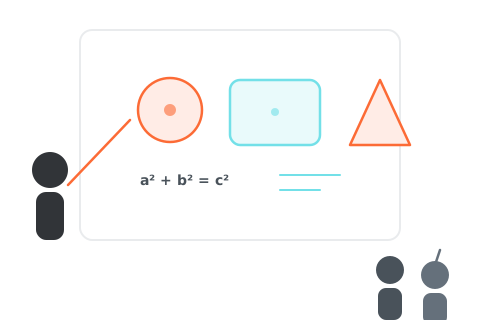
Whiteboard at the Core, Teaching All Integrated
More than a whiteboard — video, chat, and material sharing, all your teaching tools in one space
Whiteboard Core
Real-Time Drawing
8 drawing tools — brush, shapes, text, arrows — every stroke synced instantly to all participants.
Live Collaboration
Multiple users draw simultaneously, seeing each other's actions and cursors in real time.
Rich Toolset
Select, move, zoom, undo/redo, color and thickness controls — intuitive with no learning curve.
Teaching Integration
Video Calls
Built-in audio and video so you never need to switch to another tool during class.
Live Chat
Real-time text communication — students ask questions and teachers respond instantly.
Material Sharing
Upload PDFs or images and present them page-by-page directly on the whiteboard.
Page Sync
Teacher page turns sync to all students automatically; students can browse independently to review.
Free to start · No credit card · 30-second signup
Optimized for Both Teachers and Students
Features designed for both sides of the classroom, making interactions smoother
Teacher View
- Browse material thumbnails in the lecture sidebar to switch pages quickly
- One-click page sync to push your current page to all students
- Annotate and draw on materials in real time to explain key points
- Enable video for face-to-face interactive teaching
Student View
- Following Mode automatically tracks the teacher's page so you never fall behind
- Take personal notes and annotations directly on materials
- Ask questions via live chat without interrupting the lesson
- Manually browse pages to review at your own pace after class
Free to start · No credit card · 30-second signup
Four Steps to Start Interactive Teaching
Just a few simple steps to begin your interactive teaching journey
Create a Whiteboard
Create a blank or material-based whiteboard and set it to public or private.
Upload Materials
Supports PDF and images, automatically converted to a multi-page whiteboard. Optional step.
Invite Students
Share a link to join, then start a video call for face-to-face teaching.
Teach Interactively
Draw, flip pages, chat — everything synced in real time, bringing teaching closer than ever.
Ready to Transform the Way You Teach?
Whiteboard, video, material sharing, live collaboration — all in one platform. Try it now.